
Shipping an app is hard enough. Then the App Store asks for a polished set of screenshots - at multiple device sizes, for every language you support, refreshed every time your UI changes. Mockstand is a browser-based app screenshot maker that turns that recurring chore into a few minutes of work: drop your screenshots into device frames, add captions and backgrounds, translate them across locales, and export a store-ready set for both the App Store and Google Play. Today, it's live.
The problem we built it for
If you publish a mobile app, you already know the drill. A single release means producing screenshots for several iPhone and iPad sizes, matching dimensions on Google Play, and repeating the whole thing for each language on your store listing. Do it in Figma or Photoshop and you're managing dozens of artboards by hand. Miss a size and App Store Connect rejects the upload. Change one caption and you're re-exporting everything.
Mockstand exists because screenshot production shouldn't cost you a design day per release. It's built specifically for indie developers and small teams who ship across many locales and device sizes without a dedicated designer on call.
What you can do with it
Everything runs in the browser - there's nothing to install.
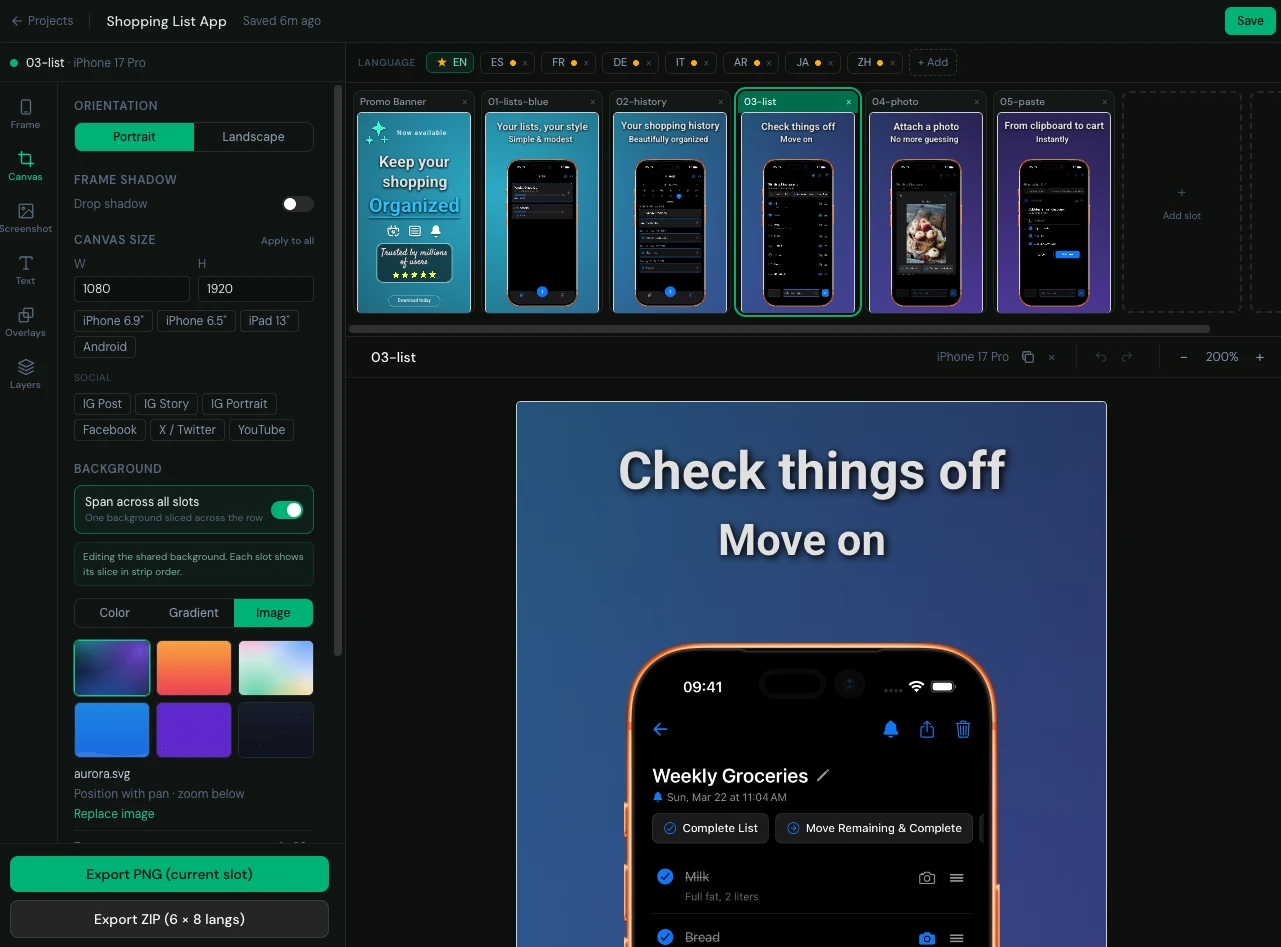
- Composite into device frames. Real iPhone, iPad, and Android frames with a transparent screen. Drop in a raw screenshot and it sits inside the device, correctly aligned.
- Design the surrounding scene. Solid, gradient, or image backgrounds; headline captions with full typography control; decorative overlays; and a spanning background that flows one continuous panorama across your whole screenshot set.
- Start from templates. Prebuilt layouts get you to a good-looking set fast, then customize from there.
- Bring your own fonts. Upload custom typefaces so your screenshots match your brand, not a generic default.
- Portrait or landscape, any store size. Presets for App Store and Google Play dimensions, plus social sizes, with one-click orientation switching.
The part that makes it different: localization
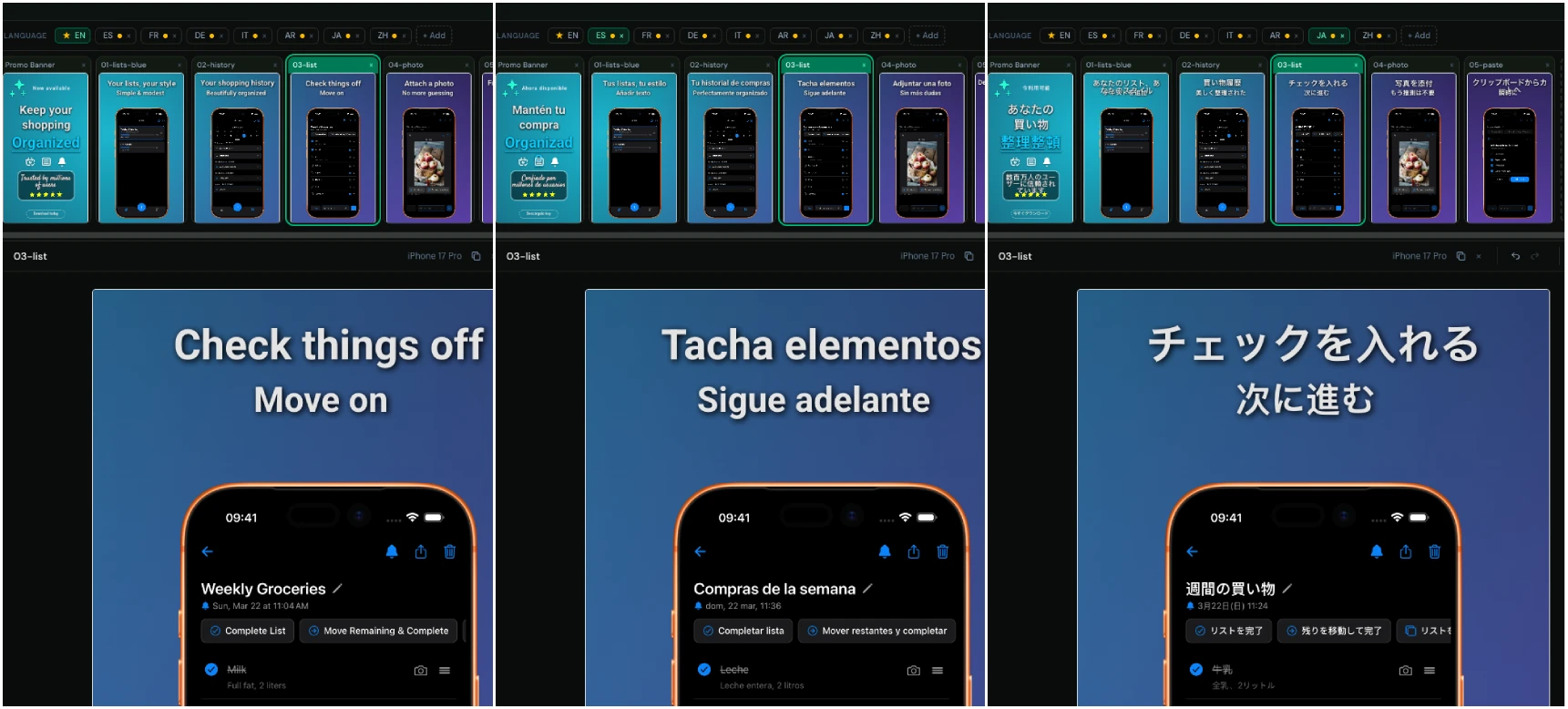
Most screenshot tools treat every language as a separate project you rebuild from scratch. Mockstand doesn't. You design one base set, and every other locale is stored as a sparse set of overrides - only the things that actually change per language, which is usually just the localized simulator screenshot and the caption text. Layout, frames, and backgrounds are shared automatically.
That means translating your store listing is no longer a copy-paste marathon. Built-in AI translation drafts your captions across every target language in one action, and you refine from there. Add a language, review the captions, done - the visual design carries over untouched.
Export once, ship everywhere
When your set is ready, export a single PNG or a full ZIP that contains every locale and every screenshot, organized so App Store Connect and Google Play Console accept it directly. No manual renaming, no per-language folders to assemble by hand.
Free to start
You can open the editor and build a set right now - no signup required to try it. The free tier covers a couple of screenshots so you can see the whole workflow end to end. Paid plans unlock more screenshots per project, multiple languages, ZIP export, saved projects, custom fonts, and a larger pool of AI translation credits, scaling up as your catalog grows.
Try it
Mockstand is the fastest way we know to go from raw simulator captures to a store-ready, localized screenshot set. Open the editor, drop in a screenshot, and see how far you get in five minutes.